Could you accelerate daily productivity with tips to manage email distractions? According to a report by McKinsey, 28% of a person’s workday is spent checking email. Sound familiar? That’s over one quarter of your entire business day is allocated just to manage emails. It’s a wonder any of us get anything done. Studies show that 26% of employees admit email is their number one distraction, and I believe that.
Here’s what I’d like you to remember – emails are requests from other people who want YOUR time and ATTENTION to accomplish THEIR objectives. While it is, of course, a necessary form of communication – YOU get to set the terms of how it is used, putting YOU in control of your time. Your time is far too valuable to let others determine how you spend it. So, what’s a person to do?
Here are seven of my favorite strategies to manage email distraction:
- Invest 15 minutes.This is something I’m passionate about. I love breaking things down into manageable bits. Manage email in 15-minute increments. Set the timer on your iPhone, play a game and answer as many as you can. Then move onto a more strategic activity.
- Put a limit on it.According to a University of British Columbia study, to manage email distractions means limiting your reading of email to three times per day reduces stress and distractions by 47%, boosting productivity and focus. That’s huge!
- Unplug from the unwanted. Millions of people use me, which is a fabulous tool that allows you to unsubscribe from email subscriptions that are filling up your inbox. If you’re not reading them, skip that distraction, save yourself valuable time and just unsubscribe.
- Block it out. Freedomis a cool distraction management tool that I use on my Mac and iPhone to block social media sites and email. It’s kind of the internet version of a do not disturb sign and it’s ideal for creating focused, uninterrupted time when you’re looking to increase productivity. More than 450,000 people use this app across multiple electronics.
- Create short cuts. Text Expander is one of my fave apps on my Mac. It is so simple. By allowing you to load short cuts for regularly used responses, words, and templates, it can save an ah-mazing amount of time. If you find that you respond to emails with similar information on a regular basis, this app might be one of your new faves as well!
- Bounce them back.If you use Gmail, this one might be the answer you’ve looked for. Boomerang for Gmail is a great service to manage emails by allowing you to bounce emails back to you when you want to answer them and write emails and schedule delivery for another time. Helps to keep that inbox overwhelm at bay.
- To-Do list it.I haven’t tried it yet, but for fans of to-do lists, the Taskforce app sounds like a solution. It lets you transform your emails into tasks and comes with an automatic filtering feature.
Being a leader in today’s world means challenging the way you work, communicate, interact, and manage your time and talent. When you recognize how very valuable your hours are, you start to get protective of them. Fortunately, there are brilliant people out there creating new dynamic tools every day that can help us effectively streamline our workdays, so that we reclaim that mismanaged time and invest it making memorable moments by paying ATTENTION to the important people in our lives. When you do? You will have more impact and influence at work, at home, and in your community. That’s a win-win-win for everyone!
If your emails have merely become a means in which to communicate to others, it’s time to make them a way you can genuinely connect. When your emails are elevated to be more personal, personable, connected and sincere, others will not only want to read them, they’ll enjoy doing so.
 The Boardroom Needs the Ground: By Mark Madrid
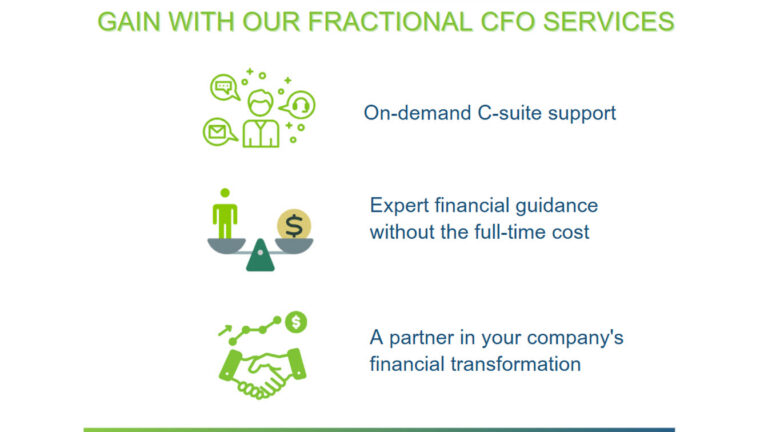 How Fractional Executives can Help Your Company Thrive: Key FactsBy Paul Whitley
 Is It Worth Hiring a Career Coach? An Honest AnswerBy Kate Rosenberg
 C-Suite TV · 22 minProject Calm: Johnny C. Taylor Jr. on Leadership, Culture, and the Future of Work
 C-Suite Radio · Leadership Without Losing Your Soul: Master Communication & Management Skills To Boost Productivity, Teamwork & Ease Overwhelm379 4 Reasons Your Team Isn't Doing What You Asked and Why Your Go-to Leadership Fix Makes It Worse
 Chairman's Corner · Jeffrey HayzlettThe Typical Small Business Still Sells for Less Than a House. Wall Street Just Figured Out Why That’s a Bargain.
Meet the founders, CEOs and operators behind stories like this one. Next reception: Fort Worth Executive Reception, Tue, Nov 17.
Attend as a guestMembership: $100/mo →