


Lean HR teams are often expected to support hiring, onboarding, employee questions, training, records management, policy updates, and compliance work simultaneously. The answer is not always another platform or a larger department. Clear, repeatable processes can help a small team deliver more reliable service while keeping the employee experience personal. Strong human resource management strategies connect everyday administrative work to larger goals such as employee support, risk management, and organizational growth.
Good workflows make work visible. They clarify what begins a request, who owns the next step, where records belong, and how employees receive an answer. When those basics are consistent, HR can spend less time chasing updates and more time handling decisions that require judgment, empathy, and context.
Why HR Workflows Matter More
Every HR process involves coordination. A candidate needs timely communication, a manager needs clear approval steps, payroll needs accurate employee changes, and a new hire needs the right information before the first day. A workflow prevents small tasks from becoming invisible until they create a larger problem.
Budget pressure also makes prioritization important. Discussion of leaner HR budgets highlights why teams should protect work that strengthens manager capability, employee development, and retention while removing low-value effort. Better systems do not need to be complicated. They need to be understood and followed by the people who use them.
Common Problems With Manual HR Processes
Manual work is not automatically bad, but it becomes risky when information and ownership are unclear. Warning signs include employee data stored in multiple files, approvals buried in long email threads, deadlines remembered only by one person, and reports assembled by copying information between disconnected tools.
Consider a growing company that manages onboarding through a spreadsheet. HR enters the employee’s start date, a manager requests equipment by email, and payroll receives a separate form. If one form is missed or the manager does not know what to do, the employee may arrive without access, equipment, or a clear schedule. The result is extra follow-up for everyone and an avoidable poor first impression.
Step 1: Map the Current Process
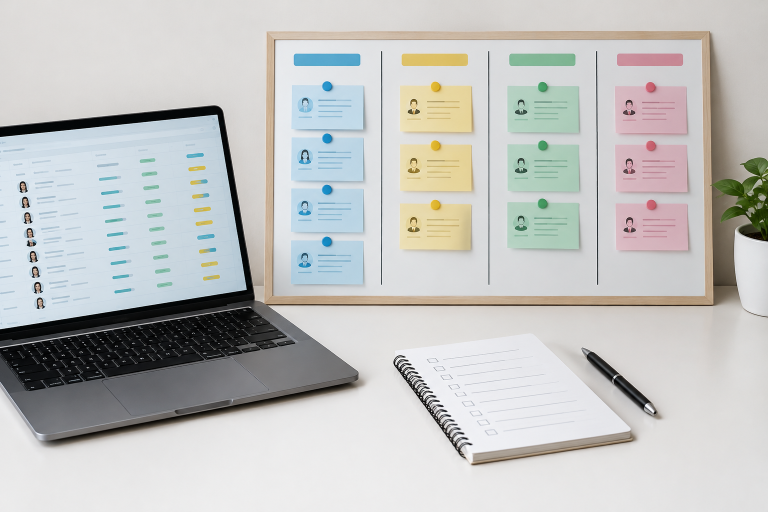
Document a process before attempting to automate it. Start with one cross-team process, such as onboarding, time-off requests, employee changes, or performance reviews. A simple map can reveal duplicate approvals, unclear handoffs, and tasks that exist only because “that is how it has always been done.”
Simple Process-Mapping Questions
- What event starts the process?
- Who owns each task and decision?
- What information or documents are required?
- Where are delays, errors, or repeated questions most likely?
- Which actions happen repeatedly?
- What is the fallback plan when a request is incomplete or urgent?
Step 2: Choose the Right Priorities
Trying to redesign every workflow at once usually creates confusion. Instead, rank processes by frequency, risk, effort, and employee impact. A task that happens weekly, takes repeated follow-up, and affects many employees is often a better starting point than a rare process with limited impact.
A Practical Priority Scorecard
- High frequency: The request happens every week or month.
- High risk: Errors could create privacy, financial, legal, or operational concerns.
- High effort: HR or managers repeatedly chase missing details or approvals.
- High visibility: The process shapes how employees experience the organization.
Begin with one high-volume process and one employee-facing process. This approach can create an early operational win while also improving service.
Step 3: Standardize Repeatable Work
Standardization creates consistency without removing professional judgment. Checklists, templates, forms, and written service expectations give people a dependable starting point. They are especially useful when a task involves several managers or departments.
Useful HR Workflow Tools
- New-hire and offboarding checklists.
- Manager requests forms for employee changes.
- Interview scorecards and structured feedback forms.
- Policy acknowledgment records.
- Training calendars and completion reminders.
- Shared guides for common employee questions.
Sensitive matters, including employee complaints, accommodations, discipline, and performance concerns, still require careful human review. A template should support good decisions, not replace them.
Step 4: Use Technology With Care
Technology works best after the underlying process is clear. Automation can send routine reminders, route requests to an appropriate approver, track training completion, store records in a controlled location, and produce basic reports. These uses reduce repetitive administration without handing important decisions to a system.
AI tools may assist with drafting, summarizing, organizing information, or answering simple policy questions, but they need to be subject to defined limits. Hiring decisions, compensation changes, disciplinary actions, employee complaints, and requests involving health or personal information should retain meaningful human oversight. The AI risk management playbook offers a useful model for documenting roles, testing systems, monitoring outcomes, and managing risks throughout a tool’s use.
Step 5: Protect Privacy, Fairness, and Trust
Efficient HR operations must protect both employees and the organization. Limit access to sensitive records, use strong authentication, review vendors’ security practices, and retain information only as long as there is a legitimate business or legal reason to do so. Employees should also understand how their information is collected, used, and protected.
For automated tools, document the intended purpose, identify who can approve use, review outputs for errors or unfair patterns, and provide a route for questions or review. Automation does not remove accountability. The organization remains responsible for its policies, decisions, and communications.
Step 6: Measure What Improves
Measure whether a workflow reduces friction rather than tracking every available number. Useful indicators include average completion time, incomplete submissions, manager approval delays, rework rates, training completion rates, repeated employee questions, and employee feedback on the process.
Review results monthly for active workflows and quarterly for broader reviews of processes, technology, access, and policy. If a new process is not improving speed, clarity, or accuracy, adjust it based on feedback from employees, managers, and the people doing the work.
Building a 30-Day HR Workflow Plan
- Days 1 to 5: List common HR requests, recurring delays, and frequent employee questions.
- Days 6 to 10: Select one process with a clear opportunity for improvement.
- Days 11 to 15: Map each step, owner, handoff, and record.
- Days 16 to 20: Create a checklist, form, or shared process guide.
- Days 21 to 25: Test the workflow with a small group of users.
- Days 26 to 30: Review feedback, fix gaps, and choose a small set of measures.
Common Questions About HR Workflows
What Is an HR Workflow?
An HR workflow is the planned sequence of tasks, decisions, owners, communications, and records used to complete a people-related process.
Which HR Process Should Be Improved First?
Start with a process that occurs often, affects many people, creates repeated follow-up, or carries a meaningful compliance, privacy, or service risk.
Can a Small Business Build Good HR Workflows?
Yes. Small organizations can begin with shared documentation, defined owners, clear checklists, and consistent communication. Sophisticated software is not required for every process.
Does Automation Replace HR Professionals?
No. Automation can reduce repetitive administrative tasks, but HR professionals remain essential for judgment, employee relations, fairness, communication, and complex decisions.
Final Takeaway
Strong HR workflows are built through practical improvements, not unnecessary complexity. By documenting work, clarifying ownership, standardizing repeatable steps, using technology thoughtfully, and reviewing results, lean HR teams can make important work easier, clearer, and more dependable for everyone.

