
Twelve Changes You Can Make in About an Hour to Improve Your LinkedIn Profile
Generally, I write and speak about the importance of putting your essence – your purpose, principles, and business passions – into your LinkedIn profile, so people will discover the authentic YOU when they encounter your profile. That change requires heavy lifting: introspection by the individual and high quality writing (either by that person or someone like me who specializes in writing superlative customized LinkedIn profiles). But here, as my holiday gift to you, I offer 12 simple changes you can make to improve your profile from a mechanical standpoint. Each of these is easy to make and the references I provide can help. You may be able to make all these changes in about a hour, or if you are so inclined, you could do one a day during each of the 12 days of Christmas!
- Customize your profile’s URL
Why? Because the URL assigned to you by LinkedIn ends with a long string of random numbers and letters that make it hard for you (and others) to memorize or type. Your default URL doesn’t fit nicely on a business card or your signature block on your email and it is cumbersome when you have to look it up to post it in the Zoom chat with the customized URLs of others. Also, using the default URL signals that you are not in the know. To the right of your profile, you’ll find Edit Public Profile and URL. - Check to see that your photo and all your sections are visible to the public
The longer you have been on LinkedIn, the more likely you are to have this kind of settings problems because we were all so skittish about showing our photo online years ago. Now, having your photo not show on your profile is equivalent to having no photo of a house listed for sale. I see the “no photo showing” problem quite often among senior-level leaders. Of course they are generally unaware that people who are not connected see their profile without their photo. There are other sections of your profile that may not be visible. To make them visible, you’ll find those in the in the Edit Public Profile and URL noted in #1. - Change the setting “Viewers of This Profile Also Viewed” to NO
Why? This default setting allows 10 people to appear to the right of your profile (or 20 in the phone app) who were viewed by someone who viewed your profile also. Recruiters sometimes refer to these people as your competition; recruiters are delighted to use this feature to help them source candidates for positions they are trying to fill. Giving others a free ride on your LinkedIn profile is not to your advantage. Change this setting to No. You’ll find this setting in a drop-down menu under your avatar (the small photo of you on your toolbar) in the Site Preferences section. - Add your email address
Actually, add it in two places: under the Contact info button and at the end of your About section. Why? Your connections expect to be able to access your email in your Contact info section, but people who are not connected with you cannot see your email under your Contact section. - Check out the other info under the Contact info button
For example, add your current company’s website if it is not already there and make sure that websites from former positions are not still linked with your account. Also, take a look at anything else you might want to add or subtract. For example, if you dislike having prospective vendors and people you don’t know well wish you a happy birthday, take your birth date off. If on your special day you crave attention, make sure your birthday is listed. - Attempt to correct the issue of any missing logos in your Experience section and Education section
Logos are an important credibility builder. For my instructions on how to get logos that exist within the LinkedIn database to show up, and how to get logos for a company you control to be entered in the LinkedIn database, see my article, A Small Omission That Undermines Your Credibility on LinkedIn. - Add the Name pronouncer widget
Is yours is a name that people find challenging to pronounce? If so, rejoice! Help is on the way. On the LinkedIn mobile app (only), you can now record your name so that people will know how to pronounce it. You’ll find instructions here. Once recorded via the mobile app, people can listen to your recording from any device. - Add a Featured section
Populate it with posts you’ve made about your team, articles you’ve written, logos of professional associations to which you belong, etc. Read more about the Featured section in my article Are You Missing Out On LinkedIn’s New Brand-Building Features? - Make sure your education listings are in the order you prefer
To make a change, go to your education section and you’ll see to the right of the word Education caret symbols (up and down) and a plus sign. Click on the carets which takes you to a “Reorder” window from which you can change the order of your schools using the slider icons. - Check out the Optional sections such as licenses and certifications, honors and awards, volunteer experience. Add any that apply.
- Make sure that the top three skills that show on your profile are really your most important skills
If they are not, demote the skills currently listed in the top three slots by clicking the pushpin icons and add the pushpin icons to your three most important skills. - Customize your LinkedIn headline
LinkedIn auto-fills your headline with your current job title and company, but you have 220 characters to customize it. Think of your headline as your marketing tagline and add some additional text. For example, you could add the value your clients or customers receive from your services.
If you are a C-suite executive or senior leader who would like to improve your LinkedIn profile and presence, I can make it easy for you. I have a track record of working effectively with C-suite executives and senior leaders to create LinkedIn profiles and other executive-branded materials that help them show up as authentically and powerfully online as they do in person. This way, they can attract the talent they want to hire, increase their visibility and influence, and control their career. I also mentor clients on LinkedIn etiquette and effective posting strategies to ensure their success. Let me help you use this essential business tool effectively. Contact me through my website: www.carolkaemmerer.com or profile: www.linkedin.com/in/carolkaemmerer.
 Other resources:
Book me to speak either virtually or in-person on the topic of personal branding via LinkedIn. I am a member of the National Speakers Association, a Certified Virtual Presenter, and an Advisor to the C-Suite Network.
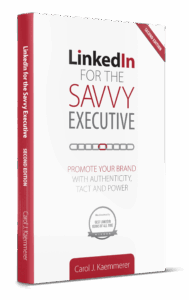
My NEW book Second Edition: LinkedIn for the Savvy Executive: Promote Your Brand with Authenticity, Tact and Power is available through online booksellers. For your author-inscribed and signed book or quantity discounts, order: https://carolkaemmerer.com/books
For DIY instruction on improving your LinkedIn profile, register for my self-paced, online course: How to be Found on LinkedIn: Key Strategies for Attracting Ideal-for-You Opportunities, https://carolkaemmerer.com/onlinecourse
To receive my monthly articles in your email inbox, sign up for my monthly emailing here.
Articles by Carol Kaemmerer
Why Is My LinkedIn Profile Getting So Few Views?
How Can LinkedIn Be Part of Your Company’s Strategy for Responding to the Great Resignation?
Is Your LinkedIn Profile Missing the Mark?
Comfortable in Your Job? Uncomfortable Life Lessons to Safeguard Your Career
How to Be Found on LinkedIn: Ten Top Strategies to Rank Well on a LinkedIn Keyword Search
Why Are You Playing Small on LinkedIn?
If You’re Not “Writing to the Margins” on LinkedIn, You’re Missing Out
Don’t Be Hooked Through a Big Phish: Recognize and Avoid Phishing Scams on LinkedIn
A Small Omission That Undermines Your Credibility on LinkedIn
What is Your Poor LinkedIn Profile Costing You?
C-Suite Executives: Stop Hiding Online